Page 1 of 1
Animated Knob + custom bitmap
Posted: Wed Sep 18, 2013 7:17 am
by billv
Loading my bitmap into animated knob i get this old issue.. where the cells don't
redraw on the same spot.
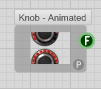
- ScreenShot273.png (4.97 KiB) Viewed 25416 times
Saw this a bit in SM but always fixed it....
Not getting anywhere when i look at the code for the fix....

Can someone give me a tip....
Re: Animated Knob + custom bitmap
Posted: Wed Sep 18, 2013 9:35 am
by MyCo
set the right bitmap cell count. I can't tell you more without looking at the actual schematic for the knob that you are using.
Re: Animated Knob + custom bitmap
Posted: Wed Sep 18, 2013 10:15 am
by billv
MyCo wrote:cell count
yeh...can't work out how to get control of it....(its the FS Animated knob)
..so the fix is in this part..??....
Code: Select all
   # Work out how many cells we have
   x = (@cells.widthPixels / @cellSize).to_i
   y = (@cells.heightPixels / @cellSize).to_i
   cellCount = [x,y].max
Re: Animated Knob + custom bitmap
Posted: Wed Sep 18, 2013 11:48 am
by Jay
Hi Billv got it fixed here! cell size is 30, changed the sweep to start - 0, finish - 360!
best regards
Re: Animated Knob + custom bitmap
Posted: Wed Sep 18, 2013 12:24 pm
by billv
Jay wrote:Hi Billv got it fixed here! cell size is 30, changed the sweep to start - 0, finish - 360!
Great Jay...thanks a lot. Still struggling to work it out though...

This will be a big help with optimizing my synth.
i've got it down to 280,000 parts...from 900,000+

..the knob change will
maybe get me another 50,000 reduction...
Cheers.
and (Thanks Myco)
Re: Animated Knob + custom bitmap
Posted: Wed Sep 18, 2013 7:02 pm
by trogluddite
Yes, Jay has it.
The knob code works a bit differently than the old SM knobs - it assumes you have a strip of frames that cover a full circle 0-360deg. If your strip does have the full circle, you can use the start and sweep angles to choose the knob range that you want to use on screen.
With an old style strip that only contains the frames that you are going to use, it miscalculates the frame size, and you get the weird clipping effect. So, Jay's 0-360 values effectively tell it to use all of the frames.
Re: Animated Knob + custom bitmap
Posted: Wed Sep 18, 2013 8:40 pm
by billv
Thanks for explanation Trog....makes more sense to me now...
trogluddite wrote:a bit differently than the old SM knobs
Same with "hide cursor"...easy in SM.....but how is done in FS..
Didn't see a clear answer in user guide mouse cursor section......
Going online they are using show()....hide()......
Or maybe, with this from User Guide...
However, you could use the x and y position to return a different result depending on whether the
mouse is in a particular area or location.
Page- 191
So don't use true or false in " isInMousePoint ".....???
Re: Animated Knob + custom bitmap
Posted: Wed Sep 18, 2013 9:50 pm
by Nubeat7
just connect the "show cursor" prim with the interact of your knob... afaik there is no ruby solution for this
Re: Animated Knob + custom bitmap
Posted: Wed Sep 18, 2013 10:53 pm
by billv
Thanks nubeat7...look forward to getting home and having
a look....cheers...
Re: Animated Knob + custom bitmap
Posted: Thu Sep 19, 2013 7:05 am
by billv
Thanks nubeat7.....I missed the 'showcursor' prim altogether...didn't know we had it
